¶ General
Importing parameters is useful when creating custom decoding files. Instead of creating a file from scratch, you can use one or more existing decoding files as a starting point and import only the parameters you need.
Parameters can be imported in two ways:
- From the Editor
- From the Decoding File Parsing
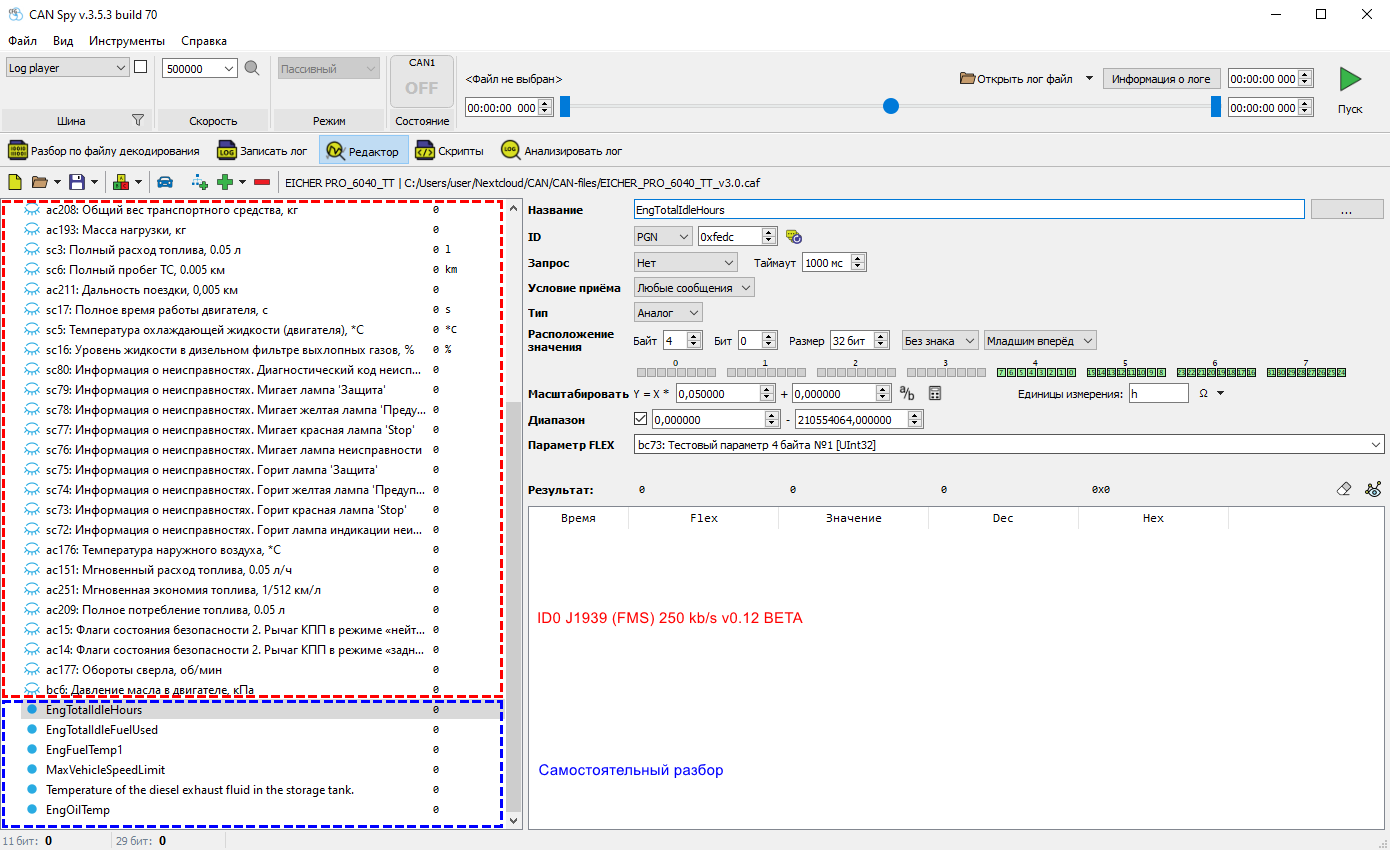
¶ Method 1: Editor
- Open CAN Spy.
- Go to Editor.
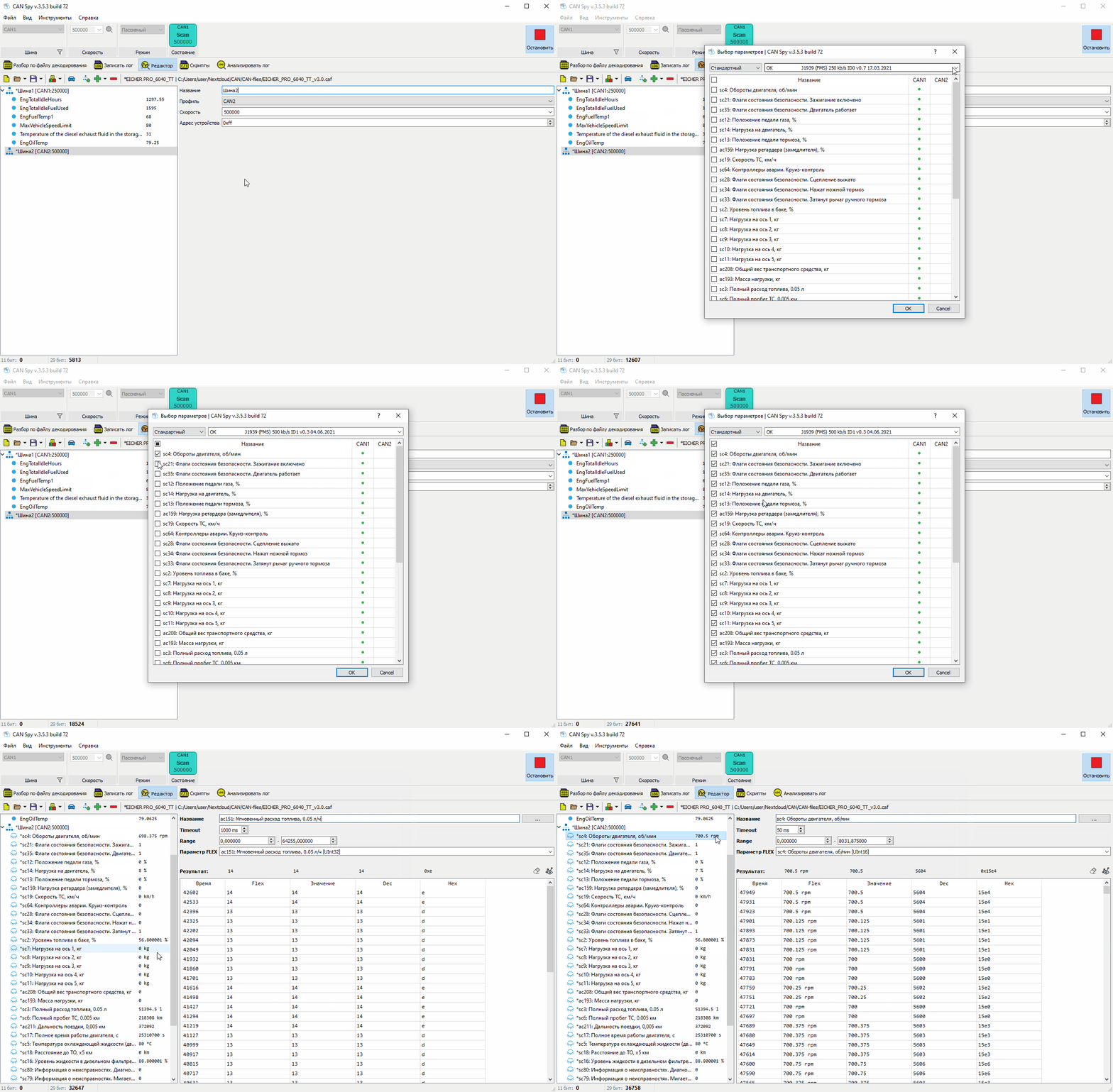
- Expand the Add Parameter menu and select Add Parameter from Decoding File.
- Select a decoding file from the library.
- Select the required parameters.
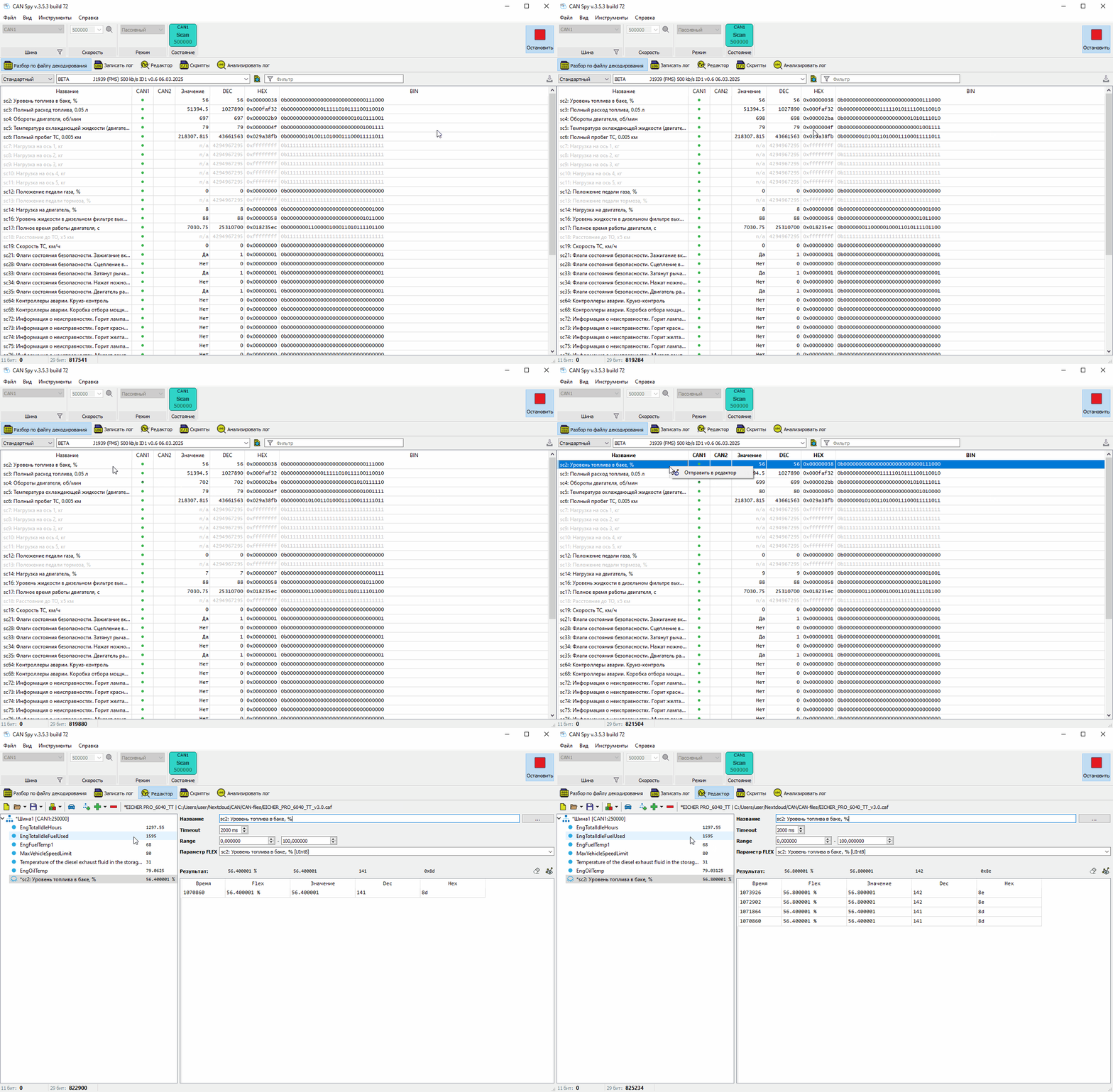
¶ Method 2: Decoding File Parsing
Before starting, create or open a Custom Decoding File in the Editor. The selected parameters will be imported into this file.
- Open CAN Spy.
- Go to Decoding File Parsing.
- Select a decoding file.
- Right-click the required parameter and select Send to Editor.
¶ Notes
Parameters imported from Navtelecom decoding files may include hidden settings inherited from the original decoding file.
Make sure you select the correct decoding file to avoid importing incorrect parameters into your project.