¶ Upload Methods
A decoding file can be uploaded using CAN Spy or DRC.
CAN Spy
- USB (direct connection)
- RCS (remote connection)
DRC
- Web service (remote connection)
¶ CAN Spy
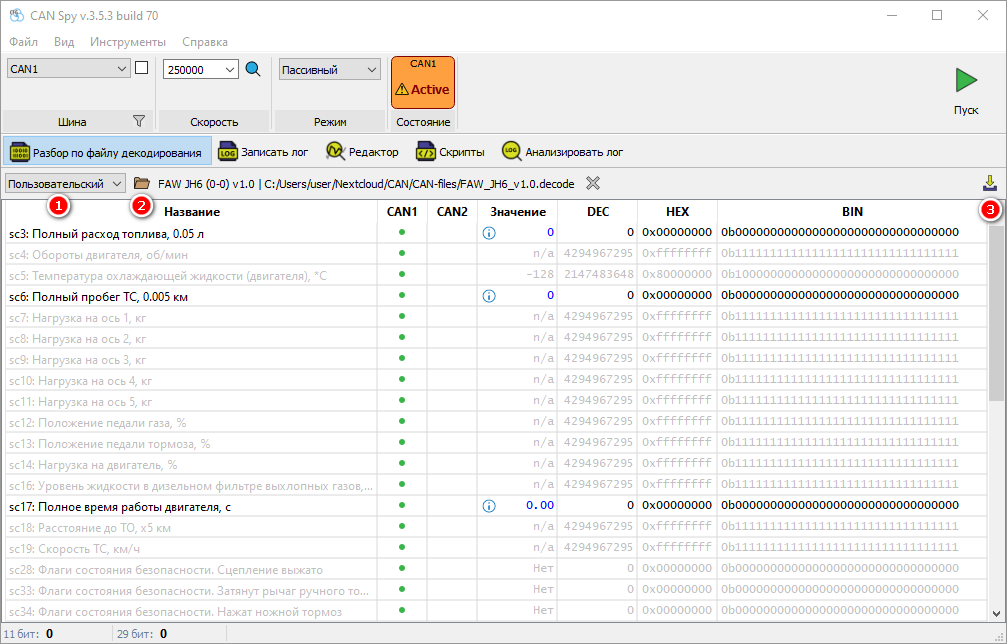
¶ Method 1. Using the Parsing by decode file panel
- Select Custom decoding file.
- Open a local decoding file.
- Upload the file to the device.
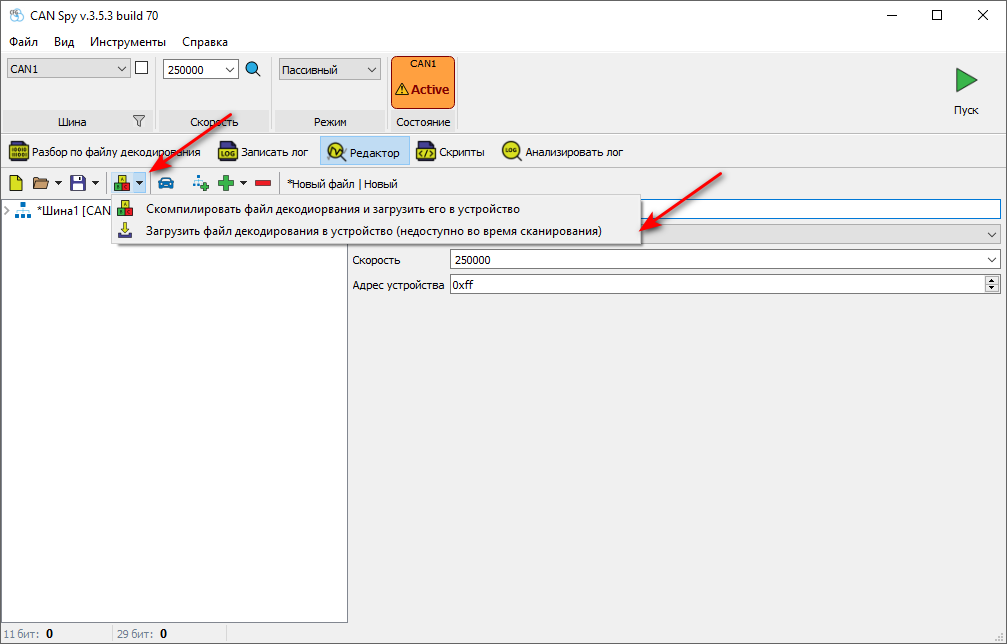
¶ Method 2. Using the Editor
¶ DRC
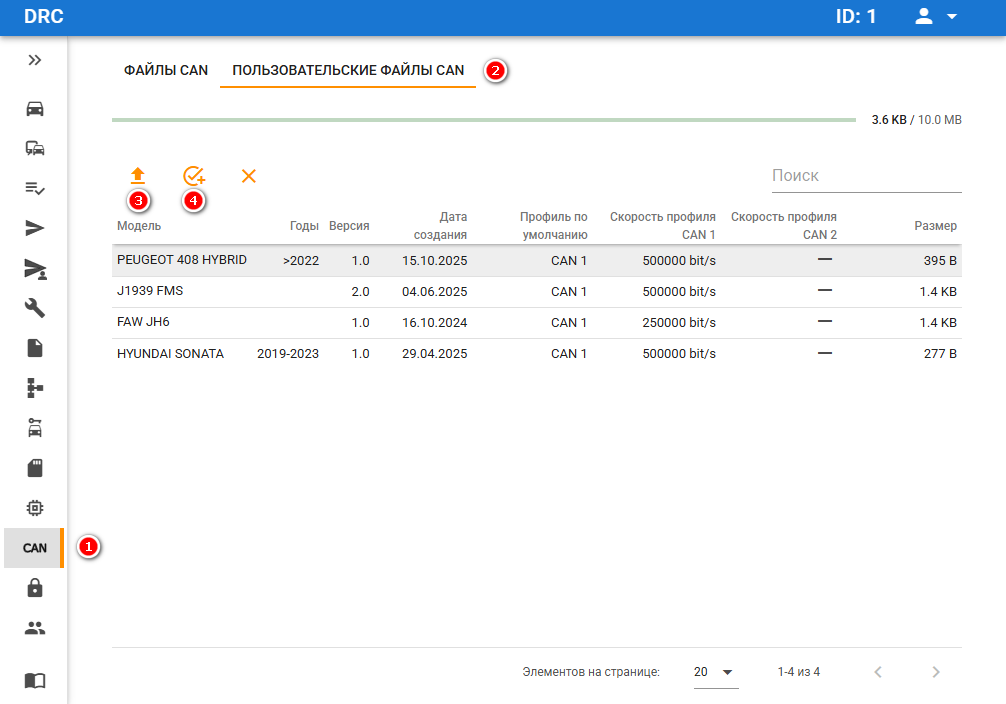
In DRC, decoding files can be uploaded for later deployment to devices.
- Open the CAN tab.
- Select Custom CAN files.
- Upload a custom decoding file.
- Create a task to upload the file to the device.