WARNING!
This article contains legacy information. We recommend using one of the current configuration methods instead:
JSC GLONASS Configuration Guide
There are two legacy configuration methods for operation with the JSC GLONASS server:
- Install one SIM card and work only with the JSC GLONASS server.
- Install two SIM cards and alternate between the JSC GLONASS server and a third-party monitoring server.
¶ 1 SIM, 1 Server
¶ Operating Algorithm
With this configuration, the device operates normally with the JSC GLONASS server, but has one limitation:
A dedicated APN (
era) is required for communication with JSC GLONASS. Because of this, standard remote connections to the DRC or RCS services are not available.
¶ Configuration
For this configuration to work correctly, the JSC GLONASS SIM card must be installed in the external SIM slot.
¶ Configuration via Command
*!EDITS TRANS:AP1(era,!,!),SIMPRIOR(1),SRV1(EGTSAUTH,,,10.77.60.254,30197,TCP),RULES(,,1,90),ROAMSIM1(0),ROAM(,,300)
¶ Configuration via NTC Configurator
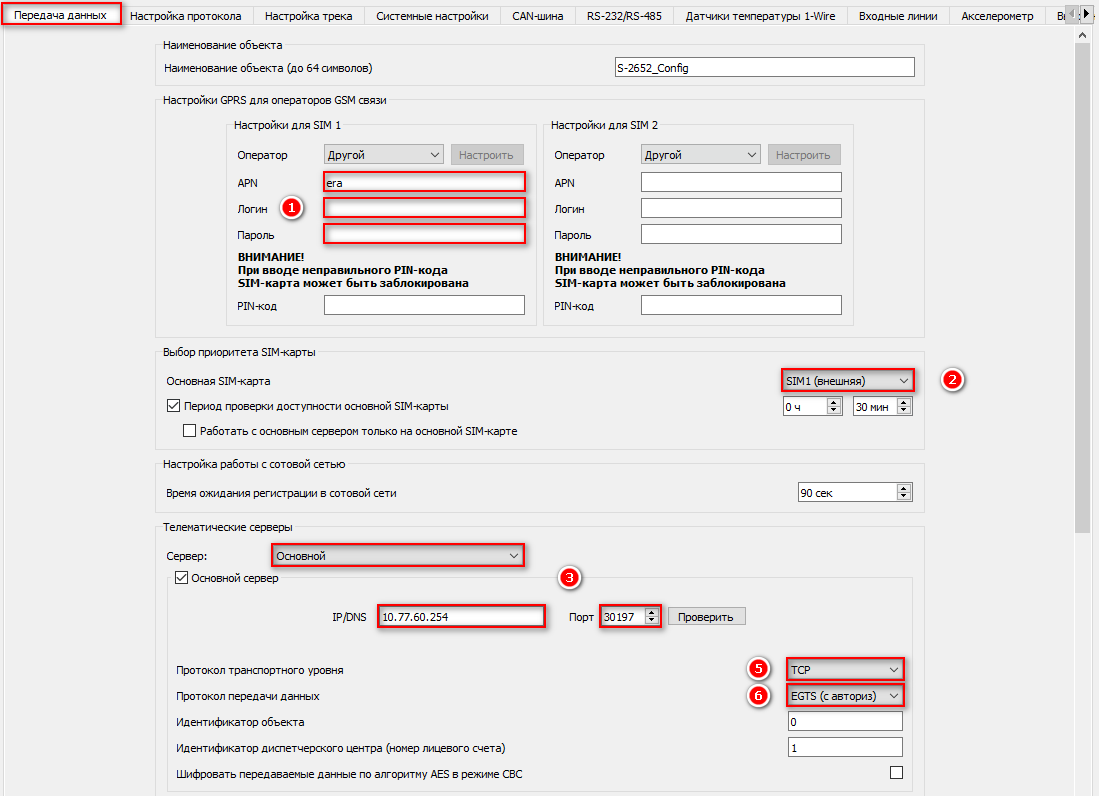
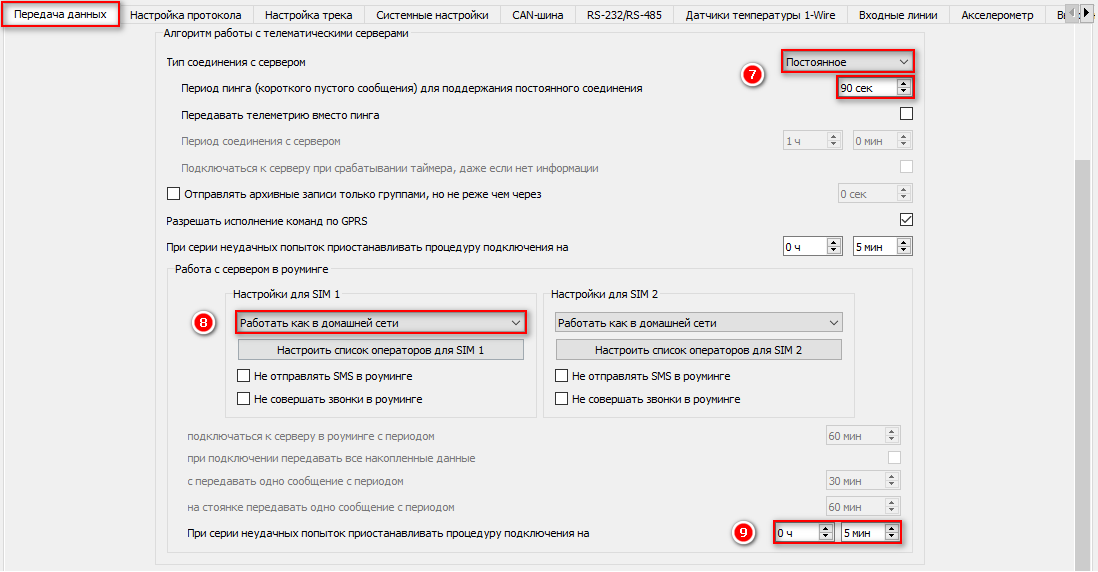
¶ 2 SIMs, 2 Servers
¶ Operating Algorithm
-
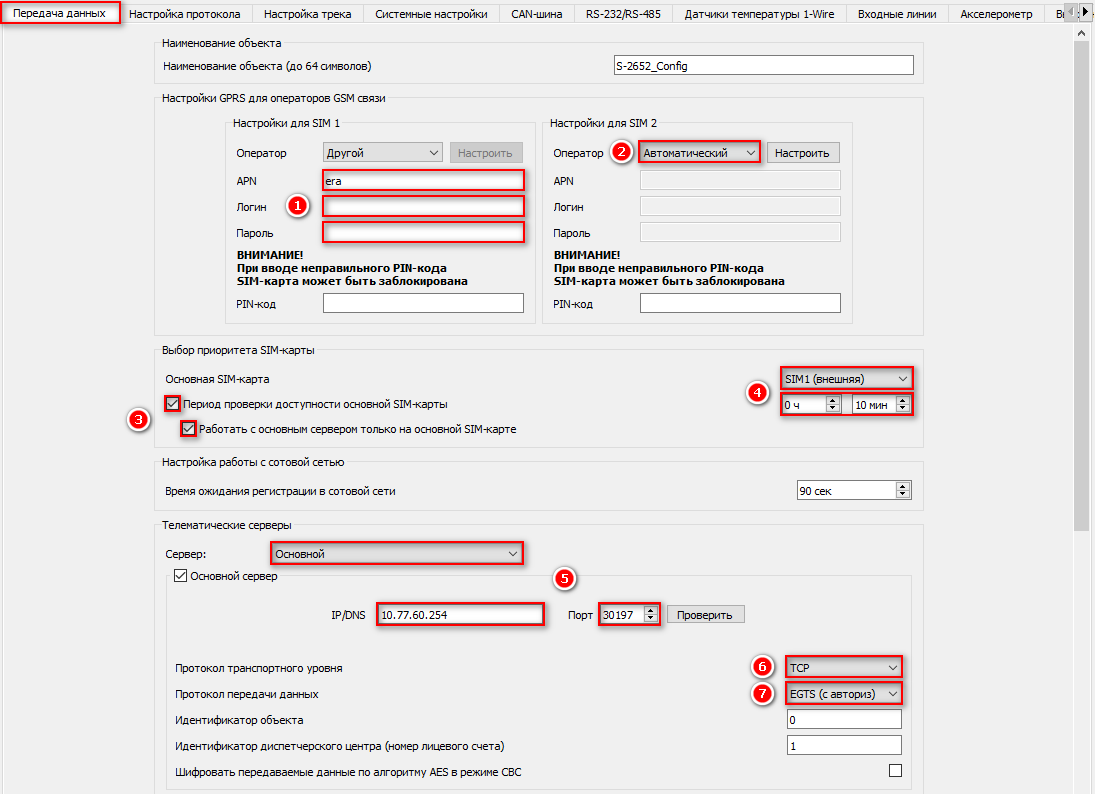
Using the primary SIM card (the JSC GLONASS SIM card must be installed in the primary SIM slot), the device connects only to the Primary Server (configured as the JSC GLONASS server) and communicates with it for the period specified by the Primary SIM Availability Check Interval (minimum value: 10 minutes).
-
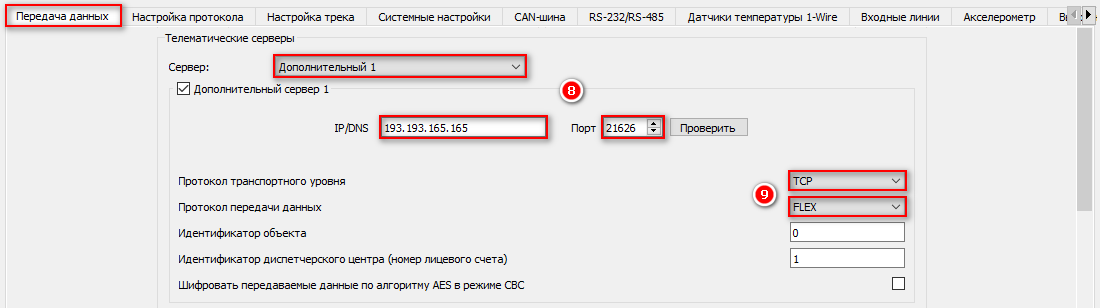
After this interval expires, the device switches to the secondary SIM card and connects to Additional Server 1 and Additional Server 2 (configure one or two third-party monitoring servers here). It uploads accumulated data for no longer than the duration specified by the Primary SIM Availability Check Interval.
-
After all accumulated data has been transmitted, or when the configured time expires (whichever comes first), the device switches back to the primary SIM card and repeats the cycle.
As shown above, the device alternates between the servers. This is necessary because communication with the JSC GLONASS server is only possible through the dedicated
eraAPN, which blocks access to all other servers. At the same time, modern cellular modems do not support simultaneous Internet sessions over two SIM cards.
Since the JSC GLONASS server requires the dedicated
eraAPN, remote connections to the DRC and RCS services are established by temporarily switching to the secondary SIM card.
If the secondary SIM card is unavailable, standard remote access to the DRC and RCS services will not be possible.
¶ Configuration
For this configuration to work correctly, the JSC GLONASS SIM card must be installed in the external SIM slot.
The example below uses Wialon Hosting as the secondary server.
¶ Configuration via Command
*!EDITS TRANS:AP1(era,!,!),AP2(!,!,!),SIMPRIOR(1,600,1,0),SRV1(EGTSAUTH,,,10.77.60.254,30197,TCP),SRV2(FLEX,,,193.193.165.165,21626,TCP),RULES(,,1,90),ROAMSIM1(0),ROAM(,,300)
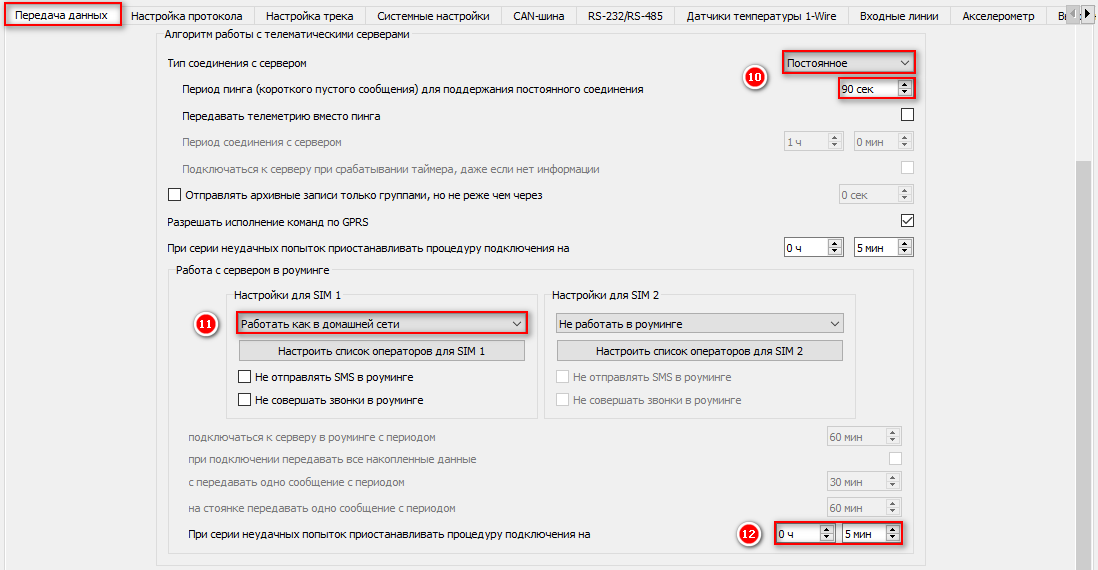
¶ Configuration via NTC Configurator